Conference Season, Compromised: What Actually Happens When a CPA Logs In from Resort Wi-Fi
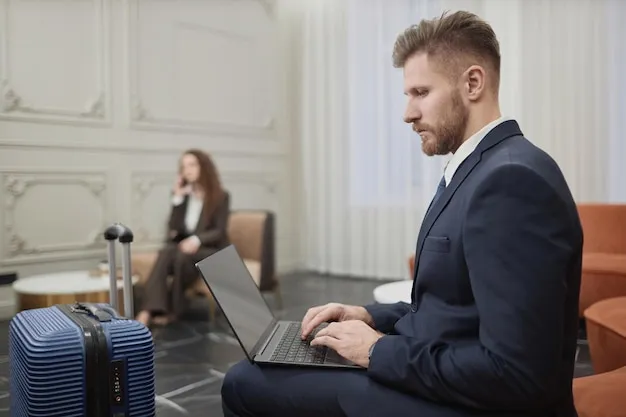
Photo: business traveler laptop hotel lobby conference wifi, via img.freepik.com
Every fall, thousands of CPAs descend on convention centers in Las Vegas, Orlando, and Nashville for CPE credits, vendor booths, and happy hours. And every fall, a meaningful share of them open client trial balances over networks they would never permit in their own offices.
The irony is hard to miss. A firm that would spend weeks vetting a payroll provider will, without hesitation, authenticate to a portal named "Conference_Guest_Free" and start uploading workpapers. Travel doesn't suspend professional obligations — it just relocates the threat model.
The Convention Center Is Not a Neutral Network
There's a persistent belief that a network hosted by a legitimate event or a major hotel chain carries some implicit endorsement. It doesn't. Large venue Wi-Fi is typically outsourced to a third-party installer, configured once, and maintained rarely. Access points in ballrooms and lobbies frequently run open or shared-password configurations with no client isolation, meaning one attendee's laptop can see another's traffic.
Then there is the captive portal problem. Nearly every hotel network in the US forces guests through a login page before granting internet access. That page is delivered over plain HTTP in many properties — an old, well-documented weakness that lets anyone on the same network intercept or substitute the portal itself. A spoofed login page that harvests your conference credentials looks identical to the real thing from the other side of a ballroom.
For a finance professional, the correct mental model is simple: treat every network you didn't provision as hostile, the same way you'd treat an unsolicited email with an attachment.
What the Road Actually Exposes
The risks on untrusted networks aren't exotic. They're mundane:
- Traffic observation. Anything not wrapped in encryption — internal tools that never got TLS, legacy document portals, that one client's FTP site — is readable in transit.
- Session hijacking. Unencrypted cookies on webmail or practice management software can be cloned, letting an attacker ride your authenticated session.
- Rogue access points. A hotspot named "Hotel_Guest_WiFi_5G" created on a phone costs nothing and requires no skill.
- Device-level exposure. File sharing, AirDrop, and local network discovery left enabled on a laptop broadcast information to everyone in range.
None of this is theoretical. Most practicing accountants have at least one story — a colleague who checked client email over cruise ship Wi-Fi, a manager who reviewed engagement files poolside in Cancun. The ones who got away with it got lucky, not safe.
A Travel Checklist for the Finance Professional
Security on the road is mostly preparation done at your desk, not vigilance done at the airport. Before any trip:
- Carry your own connection. A hotspot from your cellular carrier or a phone tethered over encrypted tethering removes the venue's network from the equation entirely. It is the single highest-leverage habit on this list.
- Configure a reputable VPN before departure. Not a consumer freebie — a vetted service or your firm's corporate tunnel, tested at home so you're not troubleshooting it from a hotel room at 11 p.m.
- Verify the kill switch. If the tunnel drops mid-session, your laptop should fail closed, not silently fall back onto the resort network.
- Disable discovery services. Turn off file sharing, printer discovery, and public folder access whenever you join any network marked "public" in your OS.
- Download before you fly. Workpapers, return PDFs, and reference materials cached locally reduce how much you need the network at all.
- Minimize the data you bring. The safest client file on the road is the one that stayed home. Take the current engagement, nothing more.
When You Must Use the Venue Network
Sometimes the hotspot plan fails — dead zones, throttled data, a convention center basement. If you have no choice but the captive portal:
- Connect to your VPN before logging into anything else, and keep it on for the duration.
- Confirm you're on the hotel's actual SSID by asking the front desk, not by trusting the strongest signal.
- Watch the certificate warnings. A portal or site that suddenly presents a certificate error on a hotel network is not an inconvenience; it is a signal.
- Avoid authenticating to sensitive systems at all. Save the client portal work for when you're back on trusted infrastructure.
A Professional Standard, Not a Travel Tip
State boards and the AICPA's confidentiality expectations don't carve out an exception for business travel. Client data deserves the same protection in a ballroom as it gets in your office — arguably more, given who else is on that network.
The firms that get this right don't rely on willpower in the moment. They publish a short travel policy, issue tested equipment, and make the secure path the easy path. Conference season will come whether you're ready or not. Pack accordingly.